Get started
Three steps, about five minutes. You need nothing else installed except Node.js.
1. Get Node.js
Download it from nodejs.org and install it like any other program (choose the "LTS" version). If you already have Node.js 20 or newer, skip this step.
You also need Google Chrome or Microsoft Edge on your computer. Most people already have one.
2. Open a terminal
Press Cmd + Space, type Terminal and press Return.
3. Paste this line
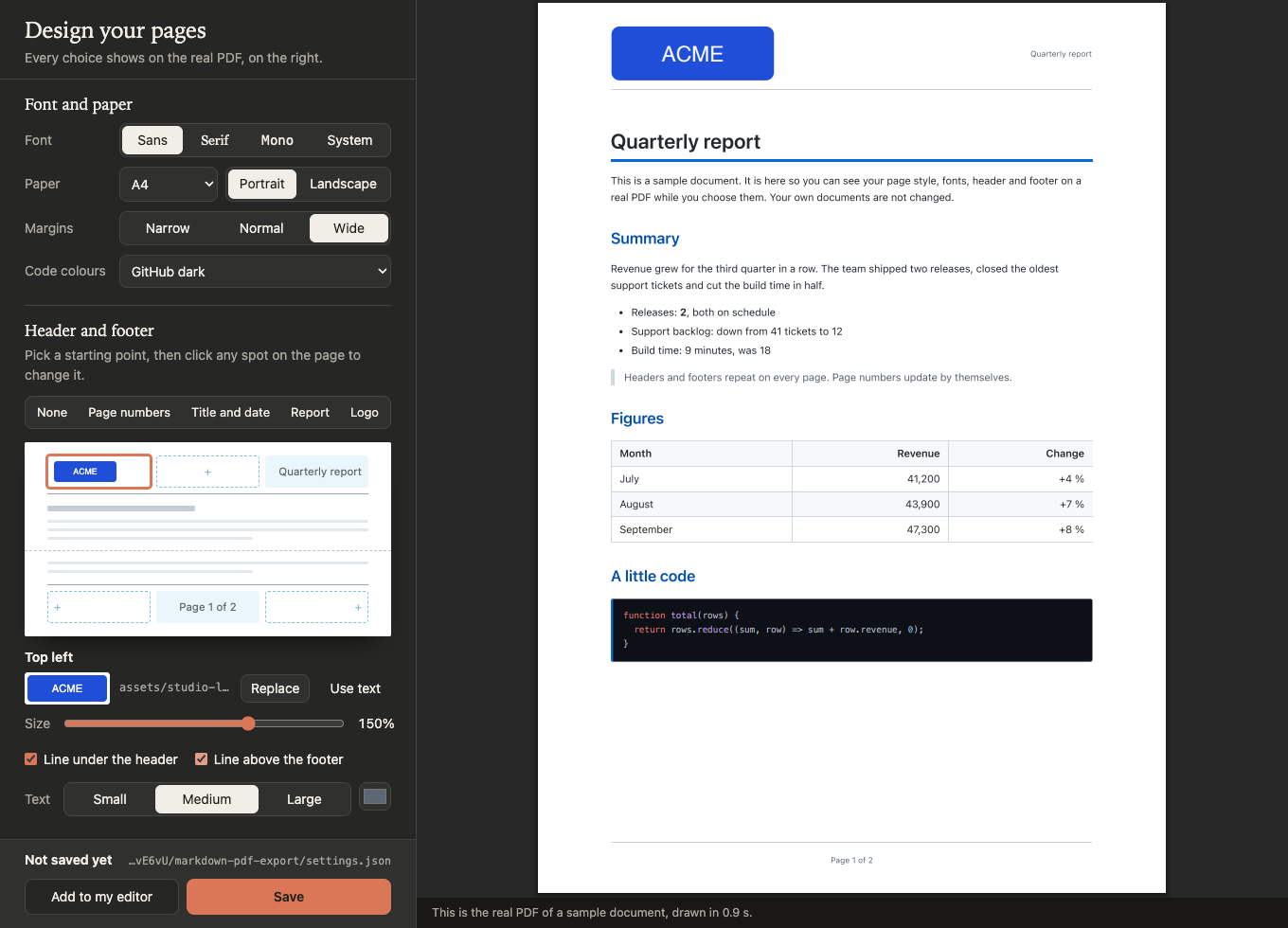
npx -y markdown-pdf-export studioPress Enter. The first time takes a little longer while it downloads. Then Studio opens in your browser: pick a page style, a header and a footer, and watch the real PDF change. Press Save when you like it.
Make your first PDF
In Studio, press Add to my editor to export from VS Code, Zed, Cursor or Claude with one keystroke or one sentence. See every editor.
Or export straight from the terminal. Put the path of your file at the end:
npx -y markdown-pdf-export report.mdThe PDF appears next to your file, with the same name.
Something wrong? Two commands that help
Check everything. Shows the version, the browser, your settings file and which editors are set up, with the fix for anything missing:
npx -y markdown-pdf-export doctorSet up my editors. Finds the editors on your computer and asks, one by one, whether to add the export command and the AI tools. More on editors.
npx -y markdown-pdf-export setup